












4KStreamIPTV | Premium IPTV USA & Canada – 4K Live TV, Sports & Movies
🇺🇸 🇨🇦 USA & Canada Launch: 12-Month Plan + 3 Months FREE · Instant Activation
🇺🇸 🇨🇦 #1 IPTV for North America

Stream The Future.
USA & Canada in 4K.

4KStreamIPTV is engineered for American and Canadian homes. Experience anti‑freeze technology, crystal‑clear 4K HDR, a custom playlist built just for you, and the Free IBO GOLD PREMIUM APP. Adult content optional. All on your own devices, no contracts.

⚡ 5 min setup
🇺🇸 🇨🇦 USA/CA Focus
📺 All Devices
🛡️ Anti‑Freeze
LIVE · NORTH AMERICA HUB 4K Streaming Preview
4K HDR ANTI‑FREEZE 70K+ Channels
70K+ Channels
Custom Playlist
70K+Live Channels
120K+VOD & Series
4K/8KQuality
Anti‑FreezeTech
24/7Expert Support
US/CAOptimized
🇺🇸 🇨🇦 Channels & Content

All Your Favorites, Tuned for America

ABC
CBS
NBC
FOX
ESPN
CBC
CTV
NFL
NBA
MLB
NHL
Soccer
Movies 4K
Series
Kids
Documentaries
PPV
Adult (opt-in)
🇺🇸 🇨🇦 Why 4KStreamIPTV

The Premium Experience

Anti‑Freeze Tech

Proprietary routing keeps streams rock‑solid during NFL Sundays and PPV events.

🎯

Custom Playlist

We hand‑build your channel list based on your preferences – your home, your lineup.

🔞

Adult Optional

Discreetly available for those who want it; never forced. You control the content.

📱

Every Device

Smart TV, Fire Stick, iPhone, Android, PC, Mac – one account, endless screens.

💬

Real Support

Talk to a human on WhatsApp. No bots, no tickets. Fast, friendly, effective.

🇺🇸

Made for USA/CA

Servers optimized for North America. Zero buffering, true 4K.

🇺🇸 🇨🇦 Simple USD Pricing

Choose Your Subscription

🇺🇸 🇨🇦 The Direct Comparison

4KStreamIPTV vs. The Rest

Feature 4KStreamIPTV Others
Resolution4K / 8K RAWHD / Compressed
ISP Throttling Protection Built‑in None
Privacy EncryptionAES‑256‑GCMUnprotected
Latency< 11ms30s+ Delay
Simultaneous StreamsUnlimitedLimited
InfrastructureEdge Nodes (US/CA)Third‑Party Servers
Custom Playlist Included Not offered
Free IBO GOLD APP Yes No
🇺🇸 🇨🇦 Quick Setup

In 3 Steps to RAW Stream

1

Activate Access

Choose your plan and complete the secure payment. Instant activation via WhatsApp.

2

Receive Your Playlist

We'll send your custom playlist, IBO GOLD app details, and setup guide within minutes.

3

Enjoy 4K Action

Log in on any device and stream uncompressed 4K – anti‑freeze, no buffering, all USA/CA content.

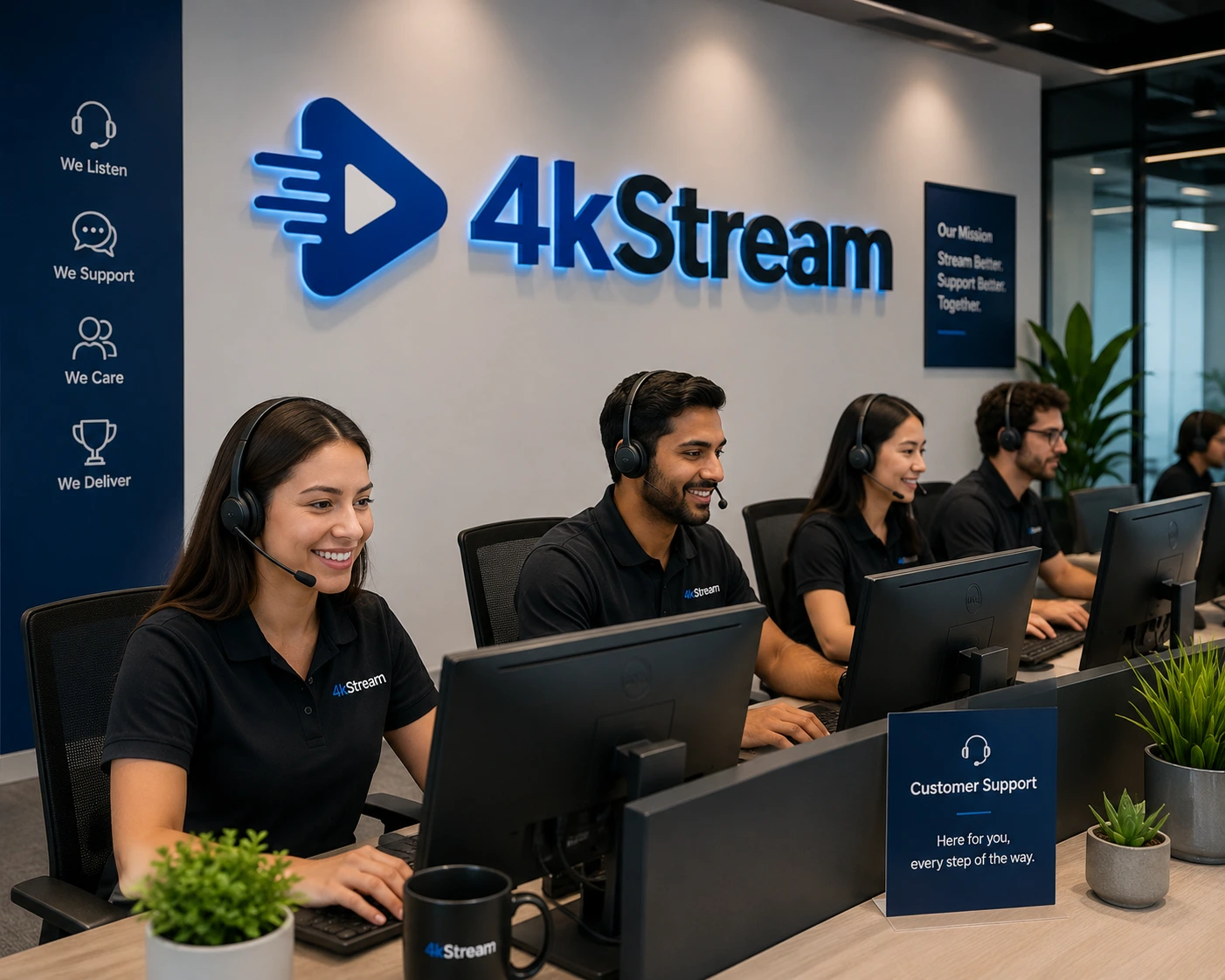
VIP Customer Support Team
When our clients contact support, they enter a direct, priority operations channel with the engineers who maintain the core protocol network themselves. No bots, no tickets – just real help.
🇺🇸 🇨🇦 Real Opinions. Real Performance.

What Our Subscribers Say

Trustpilot 4.9/5
4.9 / 5 · 1,200+ Verified Reviews
★★★★★
"Finally, a provider that doesn't freeze during NFL Sundays. The custom playlist is a game changer. 4K looks incredible on my Samsung."
J
Jason · New York
★★★★★
"Setup took 5 minutes on my Fire Stick. The adult option was enabled discreetly. Support via WhatsApp is super responsive."
S
Sarah · Toronto
★★★★★
"I've tried many IPTVs, but this one actually delivers 4K without buffering. The IBO GOLD app is a nice bonus."
M
Mike · Los Angeles
★★★★★
"Excellent service. Even when traveling, zero buffering. The AES‑256 encryption gives me peace of mind."
B
Ben · Birmingham
★★★★★
"It's like having Netflix, HBO, and every sports channel in one place. The EPG integration is flawless."
S
Sophie · Leeds
★★★★★
"My kids love the cartoon selection. The WhatsApp setup guide made it easy even for a non‑techy like me."
D
David · Glasgow
🇺🇸 🇨🇦 FAQ

Quick Answers

How does the custom playlist work?
After ordering, send us your favorite genres or channels via WhatsApp and we'll tailor your lineup. It's that simple.
Is adult content really optional?
Yes. By default it's disabled. Just ask our support to activate it if you want. No judgment, total privacy.
What makes anti‑freeze technology different?
Our servers use intelligent routing and load balancing to prevent buffering even during peak sports events.
How do I get the Free IBO GOLD PREMIUM APP?
All our plans include the IBO GOLD PREMIUM APP at no extra cost. We provide the download link and activation code upon subscription.
🇺🇸 🇨🇦 Quick Setup Guides

How to Set Up 4KStreamIPTV on Any Device

Choose your device below and follow the step‑by‑step instructions to start streaming in minutes.

Amazon Firestick (IPTV Smarters Pro)

Step 1: Install the Downloader App

You need the Downloader app to sideload the IPTV Smarters Pro APK file since it's not available on Amazon's app store.

Step 2: Enable Apps from Unknown Sources

Go to Settings > My Fire TV > Developer Options. Turn on "Apps from Unknown Sources" and "Install Unknown Apps" for the Downloader app.

Step 3: Download IPTV Smarters Pro

  1. Open the Downloader app.
  2. Enter the URL https://www.iptvsmarters.com/smarters.apk and click Go.
  3. Wait for the APK file to download, then click Install.
  4. After installation, click Done and delete the APK file to free up space.

Step 4: Set Up Your Subscription

  1. Launch IPTV Smarters Pro from your Apps & Channels section.
  2. Accept the Terms and Conditions.
  3. Click "Add New User" and choose your login method:
    • M3U Playlist URL: Select "Load Playlist", enter your M3U URL, provide a name, and click "Add User".
    • Xtream Codes API: Select "Xtream Codes API", input your credentials, and click "Add User".

Pro Tip: Use a VPN for enhanced privacy and to bypass ISP blocks. Move the app to your home screen for quick access.

Amazon Firestick (TiviMate)

Step 1: Enable Apps from Unknown Sources

Go to Settings > My Fire TV > Developer Options and turn on "Apps from Unknown Sources".

Step 2: Install Downloader

Search for "Downloader" in the Firestick search bar and install it.

Step 3: Download & Install TiviMate

  1. Open Downloader and enter the TiviMate APK URL: https://bit.ly/3XNaNze
  2. Click "Go", wait for the download to complete, then click Install.
  3. Delete the APK file after installation.

Step 4: Set Up TiviMate

  1. Launch TiviMate and select "Add Playlist".
  2. Choose your playlist type (M3U, Xtream Codes, or Stalker Portal).
  3. Enter the URL or credentials provided by your IPTV service.
  4. Wait for the channels to load.

Optional: Unlock TiviMate Premium by installing the TiviMate Companion app on Android, creating an account, and logging in on your Firestick.

Amazon Firestick (IBO Player)

Step 1: Install Downloader

Search for "Downloader" on your Firestick and install it.

Step 2: Enable Unknown Sources

Go to Settings > My Fire TV > Developer Options and enable "Apps from Unknown Sources" for Downloader.

Step 3: Download IBO Player

  1. Open Downloader and enter the URL: https://ibodesk.com/media.apk
  2. Click "Go", download the file, and install it.

Step 4: Activate IBO Player

  1. Launch IBO Player and note down the Device ID and Device Key.
  2. Visit IBO Player Activation.
  3. Enter your Device ID, Device Key, and Email, accept the policies, and click "Activate Now".

Step 5: Add Your Playlist

Go back to IBO Player, navigate to "Manage Playlists", enter your Device MAC and Key, and add your M3U playlist URL. Restart if needed.

Roku TV

Enable Developer Mode on Roku

  1. Press the following buttons on your Roku remote in sequence: Home 3×, Up 2×, Right, Left, Right, Left, Right.
  2. The Developer Options menu will appear. Select "Enable Developer Mode" and create a password.
  3. Write down the IP address displayed on your TV screen.

Download & Install IPTV Smarters

  1. On your computer, download the IPTV Smarters installation file from a trusted source.
  2. In your browser, type the IP address from Step 1 followed by ":8060".
  3. Enter the developer username (rokudev) and your password.
  4. Click "Upload", select the IPTV Smarters file, and click "Install".

Set Up Your Subscription

Open IPTV Smarters on your Roku, select "+ Add User", and enter the name, portal URL, username, and password provided by 4KStreamIPTV.

IBO Player on Roku: Search for "IBO Player Pro" in the Roku Channel Store, install it, note the MAC Address and Device Key, then visit IBO Pro App to activate and add your playlist.

Smart TV (Samsung & LG)

IPTV Smarters Pro

Samsung: Go to Smart Hub, search for "IPTV Smarters Pro", install it, open the app, and enter your subscription credentials (server URL, username, password).

LG: Go to LG Content Store, search for "IPTV Smarters Pro", install it, launch the app, and enter your IPTV details.

Smart IPTV

  1. Go to your TV's app store and search for "Smart IPTV".
  2. Install and open the app to see your TV's MAC address.
  3. Visit the Smart IPTV website, enter the MAC address, and upload your M3U playlist or Xtream Codes.
  4. Restart the app to access your channels.

IBO Player

Install IBO Player from your TV's app store, note the Device ID and Device Key, then visit the IBO Player website to register your device and upload your playlist.

PC / MAC (VLC Software)

Recommended: Visit our official web player at http://web.ip365.cx/ and enter the username and password provided to you.

Alternative – VLC Player

  1. Download VLC from https://www.videolan.org/vlc/.
  2. Open VLC Player and go to Media → Open Network Stream.
  3. Add your M3U URL (provided by 4KStreamIPTV) and press play.
  4. Wait for all channels to load (this may take a few moments).

If you encounter any issues, contact our support team on WhatsApp for immediate assistance.

Apple (iPhone / iPad / Apple TV)

Install one of the recommended iOS apps below:

IPTV Smarters Pro

  1. Download IPTV Smarters Pro from the App Store.
  2. Select Xtream Codes API (XC API).
  3. Enter your Name, Login, Password, and Server URL provided by 4KStreamIPTV.
  4. Click "Add User" and start streaming.

Alternative Apps

  • GSE IPTV – Select Xtream Codes API and enter your credentials.
  • ELK Player – Supports Xtream Codes API.
  • IPTVX – Premium player with EPG support.

If you face any issues, contact our support team on WhatsApp for help.

Android (TV / Box / Phone)

Go to the Google Play Store and install one of the recommended apps below:

IPTV Smarters Pro

  1. Search for "IPTV Smarters Pro" (or "Smarters Player Lite") and install it.
  2. Open the app and select Xtream Codes API (XC API).
  3. Enter your Name, Login, Password, and Server URL provided by 4KStreamIPTV.
  4. Click "Add User" to load your channels.

Alternative Apps

  • DUPLEX Play
  • IBO Player
  • Flix IPTV
  • SET IPTV
  • ELK Player
  • Nanomid

Once installed, use the subscription info sent to you via email or WhatsApp to log in.

STB Emulator
  1. Download STB Emulator from the Google Play Store.
  2. Install and launch the app – you will see your MAC address on screen.
  3. Tap near the Top right corner and click Settings (the 4th icon from the right).
  4. Tap ProfilesTest portal (or "Add profile" to create a new one).
  5. Tap STB Model and choose MAG 250 (or your preferred model).
  6. Tap Portal settings and enter your Portal URL (check your activation email).
  7. Tap Screen Resolution and choose 1280×720 (or higher with fast internet).
  8. Exit the app and restart – your channel list will appear.

Troubleshooting: If you experience issues, restart the app, your device, and your Wi-Fi router.

MAG Box

Connect your MAG device to your TV and internet, then follow these steps:

  1. Go to Settings → System Settings → Servers → Portals.
  2. Set Portal 1 Name to "4KStreamIPTV" (or your preferred name).
  3. Set Portal 1 URL to the URL provided in your activation email.
  4. Leave Portal 2 empty unless you have a second subscription.
  5. Save everything and reboot your device.
  6. After reboot, wait for the channels to load.

If you encounter any issues, contact our support team on WhatsApp for assistance.

Formuler
  1. Connect your Formuler device to the internet (Wi-Fi or Ethernet).
  2. Go to the Formuler app store and install MyTVOnline, MyTVOnline 2, or MyTVOnline 3.
  3. Open the app and note the MAC address (top right of the screen) – provide this to 4KStreamIPTV support if needed.
  4. For MyTVOnline: Click "Edit", enter a Portal Nickname and the Portal URL provided by us, then click "OK" to connect.
  5. For MyTVOnline 2 / 3: Select "Add Portal", enter the Portal Nickname and URL, enable "Login required", enter your Username and Password, and click "Connect".

Note: Ensure your Formuler firmware is up to date for the best performance.

BuzzTV Box
  1. Connect your BuzzTV box to your TV via HDMI and power it on.
  2. Go to Settings from the main menu.
  3. Select Servers and enter the Server URL provided by 4KStreamIPTV.
  4. Assign a name to this URL (e.g., "4KStreamIPTV").
  5. If required, enter your Username and Password.
  6. Click Connect – the channels will load automatically.

Tip: The BuzzTV box comes with the integrated BuzzTV 4 App that simplifies the IPTV setup process. You can also download IPTV Smarters or Perfect Player from the Google Play Store.

For persistent issues, contact 4KStreamIPTV support with your MAC address and a description of the problem.

Ready for the Big League?

Join 4KStreamIPTV and experience TV the way it should be.

View Plans & Start Watching

Premium IPTV for the USA & Canada. Anti‑freeze 4K, custom playlists, optional adult content.

© 2026 4KStreamIPTV · USA & Canada · All rights reserved.